mirror of
https://github.com/pooneyy/1Panel-Appstore.git
synced 2026-03-17 23:51:03 +08:00
 f66cbc97c8
- add data.yml with form fields for KV database, dashboard credentials, telegram integration, and content moderation
- add docker-compose.yml for container deployment with environment variables and network configuration
- add README.md with setup instructions and telegram bot configuration guide in chinese
- add README_en.md with english version of setup instructions
- add main data.yml with application metadata, tags, and architecture support
2.5 KiB
2.5 KiB
Telegraph-Image
免费图片托管解决方案,Flickr/imgur 替代品。使用 Cloudflare Pages 和 Telegraph。
写在前面
使用中国大陆备案域名的用户,请务必开启白名单模式,因为对于同样的图片 URI ,所有部署该服务的站点都可访问。
在别处上传的违规图片,也可以通过你的域名访问。
示例 https://telegraph-image.pages.dev/file/7f84b69bcd38c25846374.png https://testimg.pages.dev/file/7f84b69bcd38c25846374.png

如何获取Telegram的Bot_Token和Chat_ID
不要滥用,以及避免被他人滥用,以免 Telegram 被封禁
如果您还没有Telegram账户,请先创建一个。接着,按照以下步骤操作以获取BOT_TOKEN和CHAT_ID:
- 获取
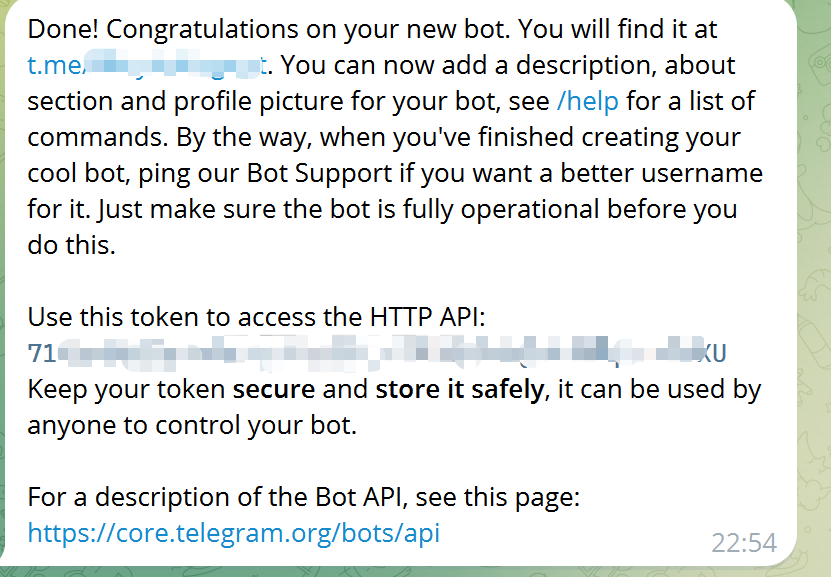
Bot_Token- 在Telegram中,向@BotFather发送命令
/newbot,根据提示依次输入您的机器人名称和用户名。成功创建机器人后,您将会收到一个BOT_TOKEN,用于与Telegram API进行交互。
- 在Telegram中,向@BotFather发送命令
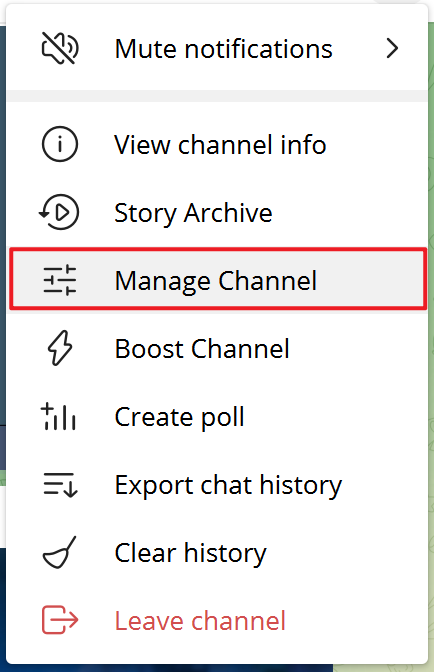
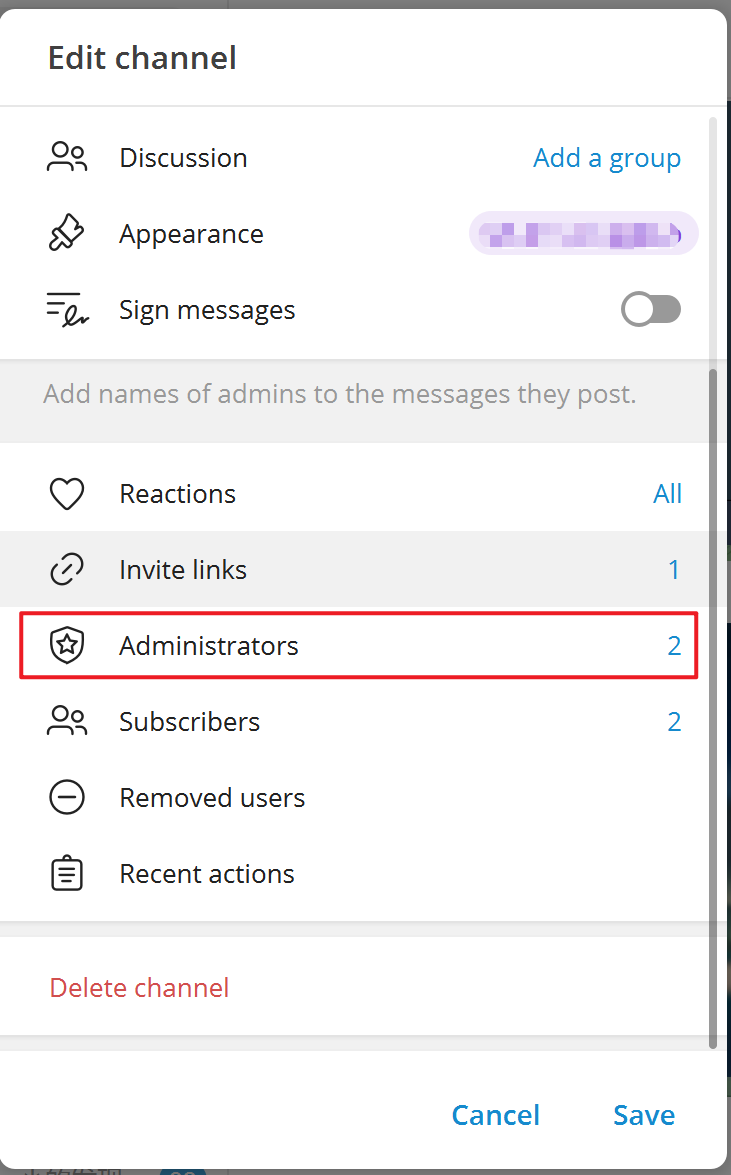
- 设置机器人为频道管理员
- 创建一个新的频道(Channel),进入该频道后,选择频道设置。将刚刚创建的机器人添加为频道管理员,这样机器人才能发送消息。
-
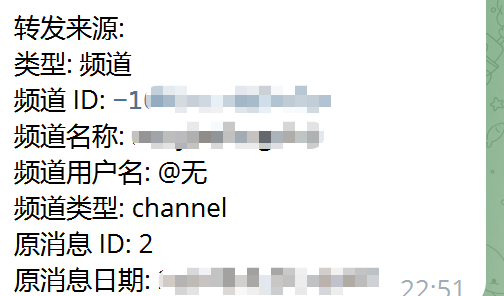
获取
Chat_ID- 通过@VersaToolsBot获取您的频道ID。向该机器人发送消息,按照指示操作,最后您将得到
CHAT_ID(即频道的ID)。 - 或者通过@GetTheirIDBot获取您的频道ID。向该机器人发送消息,按照指示操作,最后您将得到
CHAT_ID(即频道的ID)。
- 通过@VersaToolsBot获取您的频道ID。向该机器人发送消息,按照指示操作,最后您将得到
最后去Cloudflare Pages后台设置相关的环境变量(注:修改环境变量后,需要重新部署才能生效)
| 环境变量 | 示例值 | 说明 |
|---|---|---|
TG_Bot_Token |
123468:AAxxxGKrn5 |
从@BotFather获取的Telegram Bot Token。 |
TG_Chat_ID |
-1234567 |
频道的ID,确保TG Bot是该频道或群组的管理员。 |